Developers need a different buying framework from creators. The best text to speech API is not just the voice that sounds best in a demo. It must be reliable, documented, affordable at volume, and safe to run inside a product.
For a broader cost baseline before you model usage, see our TTS pricing comparison covering free tiers, paid quotas, API access, commercial rights, and voice cloning across 12 tools.
Pricing and feature notes were checked against official product and pricing pages in July 2026. Plans, free tiers, commercial rights, export limits, and API access can change, so confirm the current details before purchasing or publishing client work.
Quick Recommendations
- Best overall: ElevenLabs for natural voice quality, cloning, dubbing, API work, character dialogue, audiobooks, YouTube narration, and branded voice output.
- Best for business voiceover: Murf for training, e-learning, and structured narration.
- Best for expressive creator work: LOVO for video-friendly voiceover and dubbing.
- Best for video-first output: Fliki when captions, visuals, and script-to-video matter.
- Best for document listening: Speechify when the goal is consuming text rather than publishing audio.
- Best for developer scale: Google Cloud TTS or Amazon Polly when API cost and infrastructure matter most.
Default recommendation: For most developer teams that also care about voice quality, start with ElevenLabs for expressive TTS, voice cloning, and API-ready generation. Choose Murf for studio-led business voiceovers when nontechnical teams need to produce training or marketing audio without owning the API workflow.
Related reading:
- ElevenLabs alternatives
- Murf alternatives
- Speechify alternatives
- LOVO alternatives
- best voice cloning software
- best TTS for podcasts
- best TTS for audiobooks
- best AI text-to-speech for YouTube
Comparison Table
| Tool | Pricing Snapshot | Best Use Case | Main Limitation |
|---|---|---|---|
| ElevenLabs | Free plan, Starter $6/month, Creator $22/month, Pro $99/month, Scale $299/month, and Business $990/month were listed on the public pricing page when last checked | natural voice quality, cloning, dubbing, API work, character dialogue, audiobooks, YouTube narration, and branded voice output | credit accounting, advanced settings, and rights management require more attention than a simple reader or video template tool |
| Google Cloud TTS | usage-based pricing by character and voice class; check the official pricing page for current rates and free-tier details | apps, accessibility products, call centers, backend narration, and high-volume technical workflows | requires developer work and is not a polished creator studio |
| Amazon Polly | usage-based pricing, with current rates and free-tier terms on AWS pricing pages | engineering teams, automated content pipelines, IVR, apps, and cost-aware backend speech generation | voice realism and studio workflow can trail modern creator-focused AI voice tools |
| Murf | Free testing is available, with paid Creator and business-oriented plans shown on the public pricing page; confirm current annual and monthly rates before buying | corporate training, course narration, pronunciation control, team workflows, product explainers, and repeatable business voiceovers | less focused on personal reading, gaming dialogue, or developer-first API depth than specialist tools |
| LOVO | LOVO lists free trial messaging and paid Genny plans; verify current plan names, minutes, and commercial terms on the pricing page | creator voiceovers, marketing videos, dubbing, multilingual narration, expressive reads, and video-friendly production | public pricing and API details can need extra verification for teams with strict procurement requirements |
| Speechify | Free and Premium at $29/month are listed on the public pricing page | reading documents, reviewing learning material, listening to drafts, accessibility workflows, and mobile productivity | not the default pick for polished commercial voiceover, full dubbing, or production-grade cloning |
API Production Readiness Matrix
For developers, the best TTS API is the one that behaves predictably after launch. Voice quality matters, but production apps also need authentication, monitoring, retries, quotas, and cost controls.
| API | Best Production Fit | Cost Model To Watch | Operational Risk | Test Before Launch |
|---|---|---|---|---|
| ElevenLabs | voice-first apps, agents, narration, cloning, branded speech | monthly credits and per-product credit use | credit burn from retries, long text, dubbing, and cloning workflows | latency, streaming behavior, failed generations, voice consistency |
| Google Cloud TTS | apps that need cloud infrastructure and predictable character pricing | character-based pricing by voice class | cloud setup, billing alerts, and voice quality fit | SSML, caching, quota limits, regional latency |
| Amazon Polly | AWS-native products, IVR, backend narration, automated pipelines | standard, neural, long-form, and generative voice rates | AWS configuration, voice selection, and engineering overhead | S3 workflow, caching, speech marks, long-form pricing |
| Murf API | business narration workflows that need API generation | minute-based API pricing and studio/API split | procurement and plan fit for teams | pronunciation, export workflow, API docs, usage caps |
| Speechify API | app prototypes, developer TTS, and reader-style products | starter allowance and pay-as-you-go usage | product split between reader, Studio, and API | SDK quality, voice options, usage reporting |
Developer Load Test Checklist
Before choosing a TTS API, run a small proof of concept with real application behavior:
- generate 100 short messages and 10 long passages
- test one retry after a failed request
- measure time to first audio and full file completion
- store and replay generated audio where licensing allows it
- estimate monthly characters, retries, and cache hit rate
- verify logging does not expose private user text
- confirm commercial rights for generated output
This test is more useful than a homepage demo. A beautiful voice can still be wrong if the API is slow, hard to monitor, expensive at retry volume, or unclear about stored user content.
How to Choose
Start with the output. A course module, game dialogue line, localized video, API-generated notification, audiobook chapter, and personal reading session are not the same product. They may all use text-to-speech, but they have different requirements for rights, voice quality, editing, latency, and export control.
For commercial work, licensing comes before price. A free tool that cannot be used commercially is not cheaper if you plan to publish the output. Before using AI voice in monetized videos, client work, paid courses, games, ads, or audiobooks, confirm that your plan grants the rights you need. Keep a record of the plan, voice, generation date, and license page.
For teams, revision workflow matters almost as much as voice quality. The best tool is the one that lets you fix a sentence, maintain pronunciation, keep tone consistent, and export cleanly without rebuilding the project. If stakeholders request small wording changes, the tool should support that reality.
For developers, a polished web editor is secondary. You need stable docs, authentication, rate limits, predictable pricing, latency, streaming or batch generation, and operational logging. If the voice will be part of an app, test the API before judging the homepage demo.
ElevenLabs
ElevenLabs fits Best text to speech API for developers when the buyer needs realistic AI narration, voice cloning, dubbing, conversational agents, and developer APIs. It is strongest for natural voice quality, cloning, dubbing, API work, character dialogue, audiobooks, YouTube narration, and branded voice output.
Pricing and plan notes: Free plan, Starter $6/month, Creator $22/month, Pro $99/month, Scale $299/month, and Business $990/month were listed on the public pricing page when last checked. Check the official ElevenLabs pricing page before buying, especially if your project involves commercial publishing, team seats, API usage, voice cloning, dubbing, or high-volume generation.
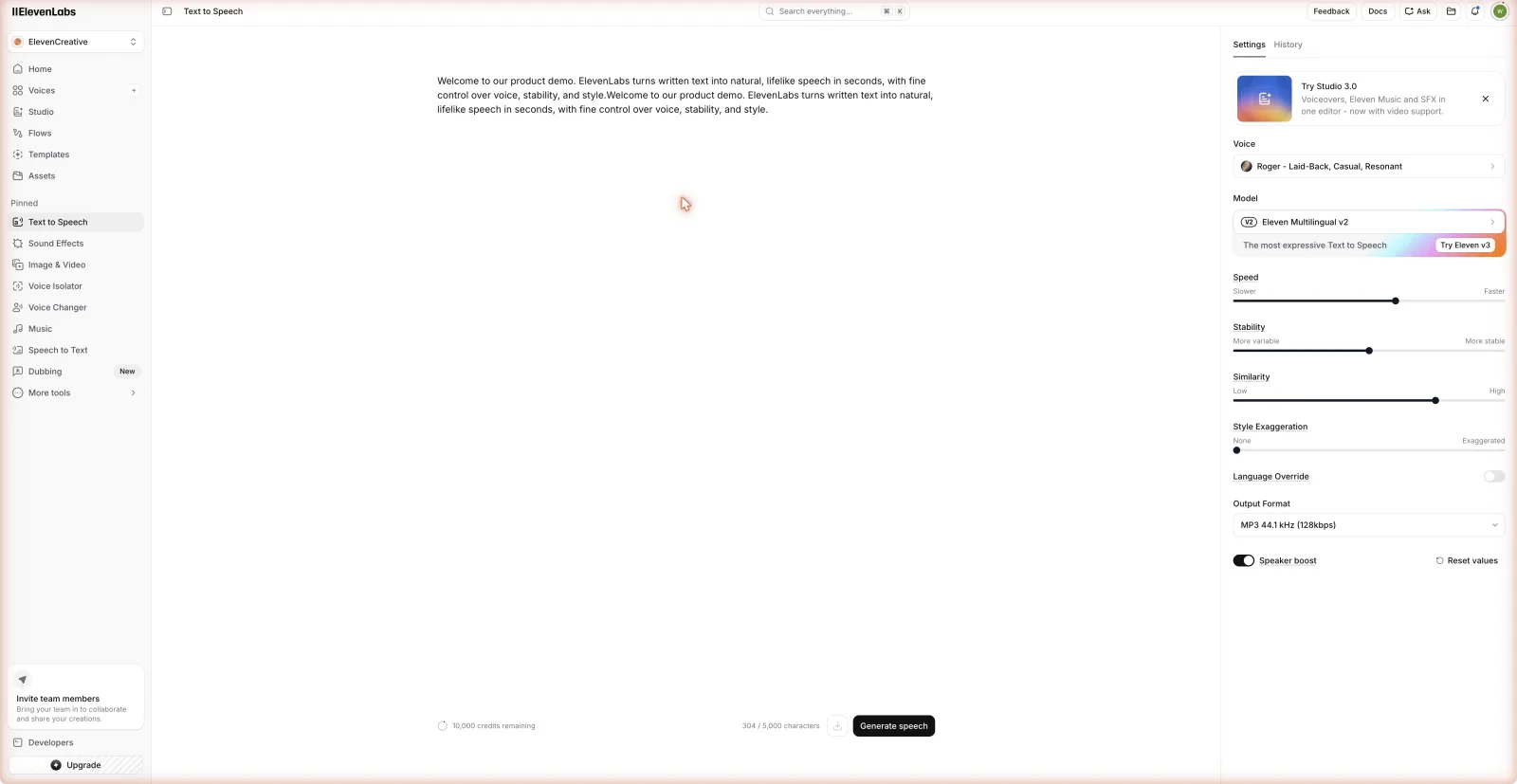
Why it belongs on this list: ElevenLabs solves a real workflow, not just a demo. In this category, buyers care about how quickly they can move from script to final audio, how easily they can revise lines, and whether the generated output can be used safely in the intended channel.
Where it can disappoint: credit accounting, advanced settings, and rights management require more attention than a simple reader or video template tool. That limitation matters if your workflow points in a different direction. A tool can be excellent and still be wrong for a course team, game studio, reader app, or social video pipeline.
Best fit: Choose ElevenLabs if your main priority is natural voice quality, cloning, dubbing, API work, character dialogue, audiobooks, YouTube narration, and branded voice output.
Google Cloud TTS
Google Cloud TTS fits Best text to speech API for developers when the buyer needs developer-first text-to-speech API with infrastructure-grade reliability, language support, and cloud integration. It is strongest for apps, accessibility products, call centers, backend narration, and high-volume technical workflows.
Pricing and plan notes: usage-based pricing by character and voice class; check the official pricing page for current rates and free-tier details. Check the official Google Cloud TTS pricing page before buying, especially if your project involves commercial publishing, team seats, API usage, voice cloning, dubbing, or high-volume generation.
Why it belongs on this list: Google Cloud TTS solves a real workflow, not just a demo. In this category, buyers care about how quickly they can move from script to final audio, how easily they can revise lines, and whether the generated output can be used safely in the intended channel.
Where it can disappoint: requires developer work and is not a polished creator studio. That limitation matters if your workflow points in a different direction. A tool can be excellent and still be wrong for a course team, game studio, reader app, or social video pipeline.
Best fit: Choose Google Cloud TTS if your main priority is apps, accessibility products, call centers, backend narration, and high-volume technical workflows.
Amazon Polly
Amazon Polly fits Best text to speech API for developers when the buyer needs AWS-native TTS API for scalable, automated speech generation with broad infrastructure support. It is strongest for engineering teams, automated content pipelines, IVR, apps, and cost-aware backend speech generation.
Pricing and plan notes: usage-based pricing, with current rates and free-tier terms on AWS pricing pages. Check the official Amazon Polly pricing page before buying, especially if your project involves commercial publishing, team seats, API usage, voice cloning, dubbing, or high-volume generation.
Why it belongs on this list: Amazon Polly solves a real workflow, not just a demo. In this category, buyers care about how quickly they can move from script to final audio, how easily they can revise lines, and whether the generated output can be used safely in the intended channel.
Where it can disappoint: voice realism and studio workflow can trail modern creator-focused AI voice tools. That limitation matters if your workflow points in a different direction. A tool can be excellent and still be wrong for a course team, game studio, reader app, or social video pipeline.
Best fit: Choose Amazon Polly if your main priority is engineering teams, automated content pipelines, IVR, apps, and cost-aware backend speech generation.
Murf
Murf fits Best text to speech API for developers when the buyer needs structured voiceover production for training, e-learning, explainer videos, business narration, and team review. It is strongest for corporate training, course narration, pronunciation control, team workflows, product explainers, and repeatable business voiceovers.
Pricing and plan notes: Free testing is available, with paid Creator and business-oriented plans shown on the public pricing page; confirm current annual and monthly rates before buying. Check the official Murf pricing page before buying, especially if your project involves commercial publishing, team seats, API usage, voice cloning, dubbing, or high-volume generation.
Why it belongs on this list: Murf solves a real workflow, not just a demo. In this category, buyers care about how quickly they can move from script to final audio, how easily they can revise lines, and whether the generated output can be used safely in the intended channel.
Where it can disappoint: less focused on personal reading, gaming dialogue, or developer-first API depth than specialist tools. That limitation matters if your workflow points in a different direction. A tool can be excellent and still be wrong for a course team, game studio, reader app, or social video pipeline.
Best fit: Choose Murf if your main priority is corporate training, course narration, pronunciation control, team workflows, product explainers, and repeatable business voiceovers.
LOVO
LOVO fits Best text to speech API for developers when the buyer needs expressive AI voiceover, dubbing, subtitles, script tools, and voice-plus-video creation inside Genny. It is strongest for creator voiceovers, marketing videos, dubbing, multilingual narration, expressive reads, and video-friendly production.
Pricing and plan notes: LOVO lists free trial messaging and paid Genny plans; verify current plan names, minutes, and commercial terms on the pricing page. Check the official LOVO pricing page before buying, especially if your project involves commercial publishing, team seats, API usage, voice cloning, dubbing, or high-volume generation.
Why it belongs on this list: LOVO solves a real workflow, not just a demo. In this category, buyers care about how quickly they can move from script to final audio, how easily they can revise lines, and whether the generated output can be used safely in the intended channel.
Where it can disappoint: public pricing and API details can need extra verification for teams with strict procurement requirements. That limitation matters if your workflow points in a different direction. A tool can be excellent and still be wrong for a course team, game studio, reader app, or social video pipeline.
Best fit: Choose LOVO if your main priority is creator voiceovers, marketing videos, dubbing, multilingual narration, expressive reads, and video-friendly production.
Speechify
Speechify fits Best text to speech API for developers when the buyer needs text listening, document reading, PDFs, study workflows, accessibility support, and productivity listening. It is strongest for reading documents, reviewing learning material, listening to drafts, accessibility workflows, and mobile productivity.
Pricing and plan notes: Free and Premium at $29/month are listed on the public pricing page. Check the official Speechify pricing page before buying, especially if your project involves commercial publishing, team seats, API usage, voice cloning, dubbing, or high-volume generation.
Why it belongs on this list: Speechify solves a real workflow, not just a demo. In this category, buyers care about how quickly they can move from script to final audio, how easily they can revise lines, and whether the generated output can be used safely in the intended channel.
Where it can disappoint: not the default pick for polished commercial voiceover, full dubbing, or production-grade cloning. That limitation matters if your workflow points in a different direction. A tool can be excellent and still be wrong for a course team, game studio, reader app, or social video pipeline.
Best fit: Choose Speechify if your main priority is reading documents, reviewing learning material, listening to drafts, accessibility workflows, and mobile productivity.
Decision Matrix
| If you need… | Start with | Why |
|---|---|---|
| Realistic production narration | ElevenLabs | Strong voice quality, cloning, dubbing, and API depth |
| Training and e-learning | Murf | Structured voiceover workflow and business-friendly controls |
| Expressive creator voiceover | LOVO | Voice styles, dubbing, and video-oriented production |
| Script-to-video content | Fliki | Combines voice, visuals, subtitles, and templates |
| Document listening | Speechify | Reader-first workflow and mobile listening |
| Developer scale | Google Cloud TTS or Amazon Polly | Infrastructure, usage-based pricing, and API reliability |
Detailed Buyer Notes
| Tool | Best Buyer | Watch Out For |
|---|---|---|
| ElevenLabs | natural voice quality, cloning, dubbing, API work, character dialogue, audiobooks, YouTube narration, and branded voice output | credit accounting, advanced settings, and rights management require more attention than a simple reader or video template tool |
| Google Cloud TTS | apps, accessibility products, call centers, backend narration, and high-volume technical workflows | requires developer work and is not a polished creator studio |
| Amazon Polly | engineering teams, automated content pipelines, IVR, apps, and cost-aware backend speech generation | voice realism and studio workflow can trail modern creator-focused AI voice tools |
| Murf | corporate training, course narration, pronunciation control, team workflows, product explainers, and repeatable business voiceovers | less focused on personal reading, gaming dialogue, or developer-first API depth than specialist tools |
| LOVO | creator voiceovers, marketing videos, dubbing, multilingual narration, expressive reads, and video-friendly production | public pricing and API details can need extra verification for teams with strict procurement requirements |
| Speechify | reading documents, reviewing learning material, listening to drafts, accessibility workflows, and mobile productivity | not the default pick for polished commercial voiceover, full dubbing, or production-grade cloning |
Testing Workflow
Use the same script across tools. Include a product name, a number, a question, a call to action, and one paragraph that needs emotional variation. Short demos hide weak pacing and pronunciation problems, so test at least 700 words if you plan to publish long-form audio.
After generating the audio, listen away from the tool interface. Put the file into your video editor, course platform, game prototype, podcast editor, or app environment. A voice that sounds good in isolation can still fail when mixed with music, gameplay, screen recordings, or background sound.
Then test revisions. Replace one sentence in the middle. Fix one mispronounced word. Change the tone of one paragraph. Export again. If the tool makes this painful, it will become expensive during real production.
Commercial Rights and Disclosure
Commercial rights are not a footnote. They decide whether you can use the output in paid work. For cloned voices, get explicit consent and keep records. For dubbing, confirm whether translated versions are covered. For free plans, assume testing only until the terms clearly say otherwise.
Some platforms and marketplaces also require AI disclosure, especially for synthetic voices, dubbed content, or realistic altered media. This is not a reason to avoid AI voice. It is a reason to document the workflow and choose reputable tools.
Cost Planning
Do not compare only monthly prices. Compare the cost per finished asset. A tool that costs more but saves two editing hours per week may be cheaper than a lower-price tool with weak revisions. For high-volume API use, estimate characters, minutes, retries, caching, and failed generations.
For small teams, start with one paid month and one real project. For developers, run a small load test. For creators, publish one non-critical piece before moving the whole channel or course library.
API Cost Model Example
Estimate cost with this formula before buying:
| Variable | Why It Matters |
|---|---|
| monthly requests | determines baseline generation volume |
| average characters per request | turns usage into character or credit demand |
| retry rate | failed or rejected generations can double real usage |
| cache hit rate | repeated prompts should not always regenerate audio |
| storage policy | storing files can reduce API cost but affects privacy and rights |
| voice type | premium, long-form, neural, or cloned voices can price differently |
If an app generates 100,000 short responses per month, a small per-request difference becomes meaningful. If a creator generates four long episodes per month, revision workflow may matter more than raw API price. Model the product you are actually building.
Final Recommendation
For most buyers searching Best text to speech API for developers, start with ElevenLabs and compare it against the tool that best matches your workflow. Pick Murf for business training, LOVO for expressive creator voiceover, Fliki for script-to-video, Speechify for listening, and cloud APIs when developer scale matters most.
API buyers often need a second pass after the general shortlist. Use OpenAI TTS alternatives if OpenAI is your current baseline, ElevenLabs vs OpenAI TTS for a direct quality and API comparison, ElevenLabs vs Google Cloud Text-to-Speech when cloud infrastructure is on the table, and OpenAI TTS vs Google Cloud Text-to-Speech for a developer-only comparison. Product teams shipping embedded speech should also read best text-to-speech for SaaS apps.
FAQ
What is the best text to speech API for developers overall?
ElevenLabs is the best starting point for most buyers, but the right answer depends on the workflow. Use the comparison table to match the tool to your output, rights needs, and revision process.
Can I use free AI voice tools commercially?
Usually not without checking the plan terms. Free plans are useful for testing, but commercial use often requires a paid plan with explicit rights for monetized videos, paid courses, client work, ads, games, or audiobooks.
Which AI voice tool sounds the most realistic?
ElevenLabs is usually the safest starting point for realistic generated speech, especially when voice quality, cloning, dubbing, or emotional range matters.
Which tool is best for business teams?
Murf is often the best fit for training, e-learning, product explainers, and structured business voiceover. Teams should prioritize review workflow, pronunciation control, licensing, and predictable exports.
Which tool is best for video creators?
Fliki and LOVO are strong when the workflow includes video, captions, subtitles, scripts, and social content. ElevenLabs is stronger when final voice quality is the main priority.
Should developers choose a studio tool or an API tool?
Developers should prioritize API documentation, latency, rate limits, authentication, cost at volume, and commercial rights. Browser studios are useful for testing, but production apps need reliable API behavior.
Short answer: The best text to speech API for developers is ElevenLabs for voice-first apps, Google Cloud TTS or Amazon Polly for infrastructure-scale generation, Murf for business narration workflows, and Speechify API for quick developer testing.